What Fotor–AI Photo Editor&Enhancer actually does (from App Store listing)
Photo editing used to be a task. Now it's just a talk.
With Fotor, editing is easier than ever.
Fotor is your all-in-one AI photo editing toolbox, now featuring the new AI Agent. Just upload a photo and say or type what you want—Fotor's smart Agent understands your commands and applies multiple edits at once, saving you time and effort.
Whether you're a creator, a photo enthusiast, or just having fun, Fotor makes editing smarter, faster, and more creative than ever.
In the Fotor App, you c…
Photo editing used to be a task. Now it's just a talk.
With Fotor, editing is easier than ever.
Fotor is your all-in-one AI photo editing toolbox, now featuring the new AI Agent. Just upload a photo and say or type what you want—Fotor's smart Agent understands your commands and applies multiple edits at once, saving you time and effort.
Whether you're a creator, a photo enthusiast, or just having fun, Fotor makes editing smarter, faster, and more creative than ever.
In the Fotor App, you can:
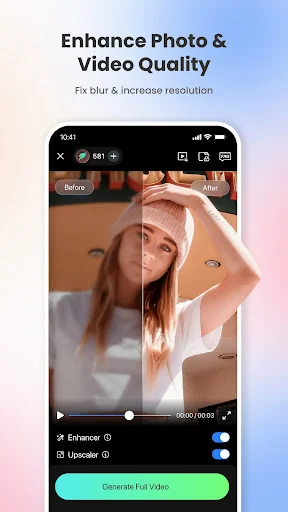
‒ Use the AI Photo Enhancer to instantly sharpen blurry photos, fix grainy or low-resolution images, and bring back lost details automatically. This powerful photo enhancer tool boosts image quality and makes every shot look sharp, vivid, and professional—no manual editing required. The photo enhancer makes it easy to get stunning results with just one tap.
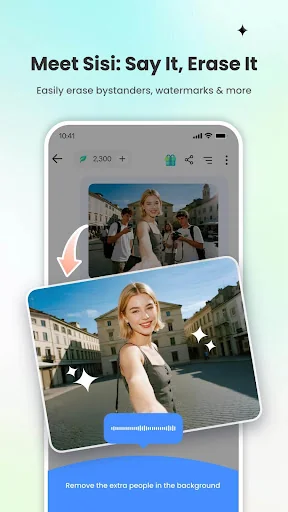
‒ Effortlessly remove unwanted elements from photos and videos—like bystanders, watermarks, or buildings—using the Magic Eraser for photos and Video Eraser for videos, all without sacrificing quality. Perfect for anyone with no editing experience.
‒ Use the BG Remover to extract subjects from your images with one click, allowing you to replace the background and create highly personalized photos. The AI background eraser makes it easy to achieve professional-looking results.
‒ Use AI Retouch to achieve flawless skin. Enjoy natural and delicate skin smoothing and blemish removal to effortlessly create a refined appearance.
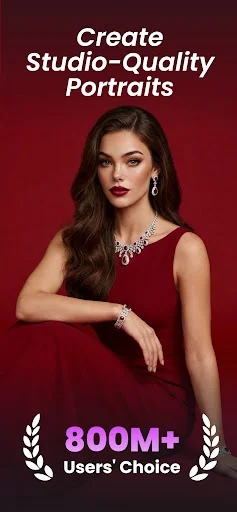
‒ Use the AI Headshot Generator to create PFPs and avatars for LinkedIn and other social media platforms. The headshot generator ensures high-quality results that rival professional studios.
‒ Turn text into stunning images! Just describe what you want, like “a magician baking bread in the kitchen,” then choose a style, and transform your ideas into reality in seconds.
‒ Instantly convert your text prompts into videos with an AI video generator, creating studio-quality videos without any watermarks. Just enter your text or upload an image, choose a style, and get a polished video.
‒ Use trendy 3D Cartoon and AI art effects to easily transform your selfies into vibrant cartoon comics.
Explore more features of Fotor and unleash your creativity with this AI photo editor.
AI Tools:
‒ Instantly change hairstyles, and colors with AI Hairstyle to find your best style.
‒ Extend photo subjects and backgrounds with AI Expand to fit different sizes and achieve a balanced effect.
‒ Restore and colorize old family photos, turning them into vibrant, high-definition images.
Photo Editor:
‒ Use unique photo filters to set the mood and captivate.
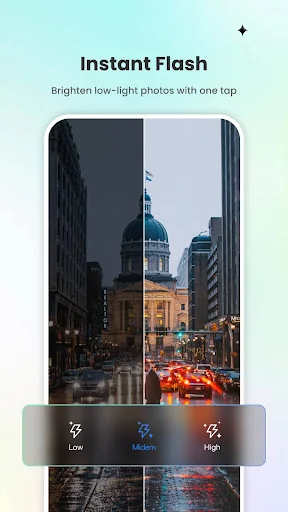
‒ Adjust brightness, clarity, contrast, saturation, curves, hue, and grain.
The Fotor Pro subscription fee is charged weekly, monthly, or yearly. The fees for the Fotor Pro plan are paid following purchase confirmation. The subscription will automatically renew on expiry unless the automatic renewal is turned off at least 24 hours before the expiry of the current subscription period. Once the subscription is confirmed, your Google Play account will be charged according to the plan you chose. After purchase, you may go to the Google Play account settings to manage your subscription and turn the automatic renewal off. A canceled subscription becomes effective after the current billing period ends.
Terms of Service:
https://www.fotor.com/service.html?f=iphoneapp&v=1
Privacy Policy:
https://www.fotor.com/privacy.html
Comparable iOS apps
The five apps in Photo & Video with the closest revenue to Fotor–AI Photo Editor&Enhancer. Click any to see its detail page.
Each forecast combines App Store rating, ratings count, monetisation model, pricing tier, IAP signals and ad-supported flag.
The base estimate is then multiplied by a per-category scaling factor learned from apps with founder-verified MRR.
Every number on this page comes from public APIs and bumetric's own snapshot history.
Full methodology covers input variables, accuracy bands per category and how we treat apps without comparable anchors.
See also the live data on Fotor–AI Photo Editor&Enhancer's tracker page for current rating, reviews and snapshot timeline.
Building something similar? Get a free AI audit with $-revenue forecasts for every recommendation.


 Cosplay AI: KI Baby Generator
 VideoGPT - AI Video Generator
 Instories: AI Photo & Video
 ProCam - Pro Camera
 Persona: KI-Beauty Editor