
iNet WOL - Wake on Lan
 53
53


iNet WOL - Wake on Lan
iNet WOL - Wake on Lan is an iOS app from BananaGlue GmbH in the Utilities category, currently rated 3.7★ across 11 ratings. Initial signal reads as mixed reviews: supporters praise core features while critics cite stability and value gaps.
Quality Score is 53: Solid (established niche player). For a Utilities app, that means established niche player. The full BU Investment Matrix below scores 8 dimensions including monetisation, growth, and operational risk.
Track changes month-over-month in the Performance section below: live snapshot history and revenue forecast included.
- Title & subtitle keyword fit
- Description hook & conversion structure
- Screenshots, ratings, reviews strategy
📊 Performance Tracking LIVE
Synthetic estimate. Inputs: category complexity, file size, screen count, monetization layer, platform reach, age × team-size proxy. Calibrated against 2024-2026 indie-agency rate surveys. Full math + source list on /methodology.
| 🧱 MVP baseline (design + 1-store ship) | +$28K |
| 📱 5 unique screens × $4.5K | +$22K |
| 📦 Asset bundle (131 MB) | +$32K |
| ⚙ Utilities complexity ×0.85 | $-12410 |
Synthetic estimate. Multiple band derived from ad-supported + age, rating quality, category demand, and user-base maturity. Calibrated against 2024-2026 indie-app-marketplace closed-deal medians. Full math + comparable deal list on /methodology.
| 📺 Ad-supported base | 15× MRR |
| ⭐ ★ rating 3.5-4.0 (mixed) | -8% |
| 🏷 Utilities category multiple | -10% |
| ⭐ Small user base (<1K ratings) | -8% |
How we forecast this revenue
MEDIUM CONFIDENCEBU Investment Matrix
Pre-traction · 39/100INDIE TIERlimited signal- 💰 Revenue: Modest — $753 - $4708/mo · INDIE tier · medium confidence, trajectory unclear.
- ⭐ Quality: 3.73★ across 11 reviews — weak — significant quality concerns.
- 📍 Market: Not yet charting in any of the 9 monitored markets.
- 📈 Growth: ⚠ last update 1692d ago — possibly dormant.
- ⚠️ Risk: Moderate — dormant (1692d since update).
💰 Forecast Revenue / mo
MODEL| Paid app ($0.00)METRIC | +$2,800 | |
| worth every pennyREVIEW | +$2,000 | |
| 5 starREVIEW | +$1,800 | |
| Mature app (17y old)METRIC | +$1,500 | |
| highly recommendREVIEW | +$1,400 | |
| Localized (6 languages)METRIC | +$600 | |
| Pre-traction phase (11 ratings)METRIC | −$300 |
📈 Reviews Growth
LIVE⭐ Rating Trend
LIVE🆕 What's New · v2.6
[Added] Some device images for icon chooser, mac devices from 2021
Have a good time. Greetings from BananaGlue
Profile & Insights
Identification
- App name
- iNet WOL - Wake on Lan
- Developer
- BananaGlue GmbH
- Bundle ID
- com.bananaglue.inetwol
- App Store URL
- Open in App Store
- Category
- Utilities
- Content rating
- 4+
- Languages
- EN, FR, DE, JA, ZH, ES
Company
- Website
- Not found
- Tagline
- Today
- Description
- Find apps and games for iPhone, iPad, Mac, and more on the App Store.
- Founded
- Not found
- HQ / Address
- Not found
- Employees
- Not found
- Logo
- Available
Revenue
- Verified revenue / mo
- Not found
- AI revenue estimate / mo
- Not found
- AI annual estimate
- Not found
- ML model estimate / mo
- $29.9K/mo
- Top-grossing rank
- Outside top 100 in US Utilities
- All-time revenue
- Not found
- Pricing
- Not found
Founder
Funding
Press & Links
Contacts & Socials
📈Ratings growth11 ratings+1000% lifetimeShow 3-year history estimate ▾
📝 About this app
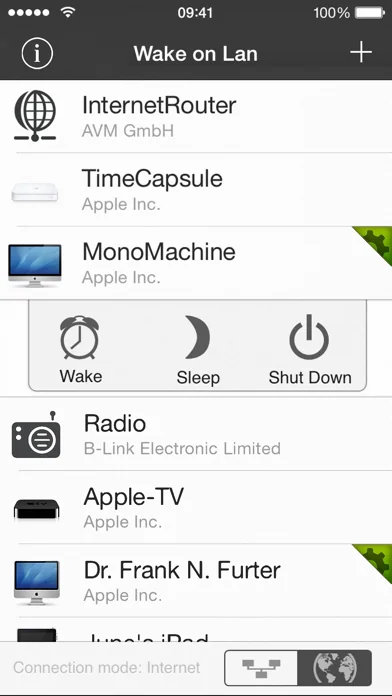
Its outstanding feature is its easiness of usage and the simple setup process.
With iNet WOL you can:
• Wake computer on the local network from sleep
• Wake computer via the internet
• Sleep, shutdown or reboot a computer remotely (Mac OSX only at the moment)
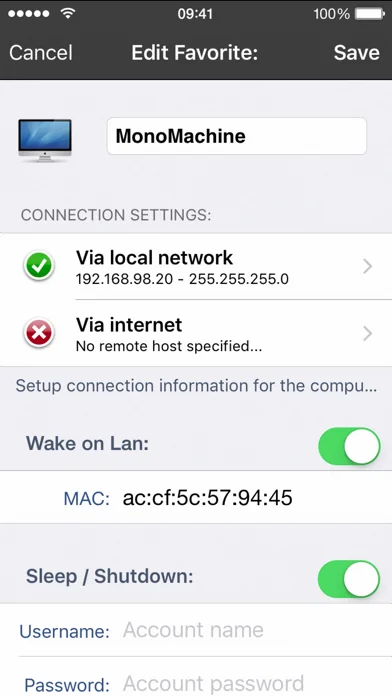
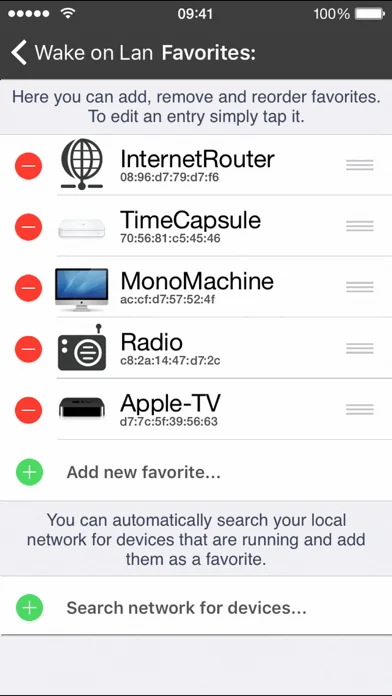
• Add new devices with one touch (need to enter MAC address since iOS 11)
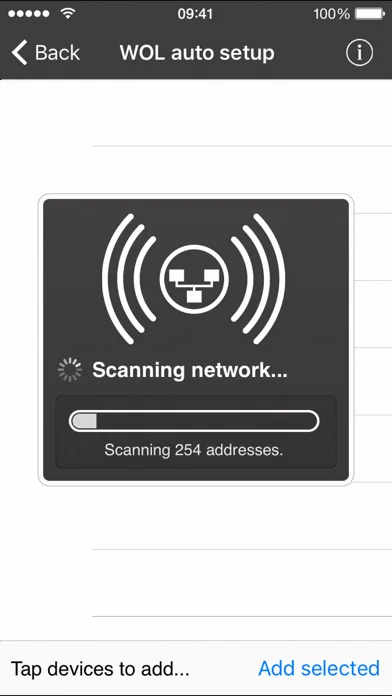
iNet WOL scans the devices connected to your local network and shows them along with their name, IP and vendor at the tip of a button.… View full description on the official store →
What Worked™ · Development Pipeline
8 EVENTS TRACKEDTrack this app’s revenue
FREE📝 Description
95
More by BananaGlue GmbH
View all →


Similar apps in Utilities


Why low confidence: only 11 ratings · no founder-verified revenue (model estimate only) · revenue figure is directional only.
iNet WOL - Wake on Lan is a early-stage iOS app in the utilities space with weak public traction — only 11 ratings, no founder-verified MRR, and not ranked in any monitored grossing chart. The app appears to be monetised, but public signals are too sparse for a precise revenue estimate.
Bottom line: treat all revenue, audience and acquisition-value numbers on this page as directional only — not founder-verified facts.