28
BU Score
Niche
Weight Monitor
✍️ bumetric analysis
“
Weight Monitor is an iOS app from Essence Computing in the Health & Fitness category, currently rated 2.0★ across 4 ratings. Initial signal reads as mostly critical sentiment so far: users flag rough edges and unmet expectations.
Our BU Score puts it at 28: Niche (micro-niche or pre-traction stage). For a Health & Fitness app, that means micro-niche or pre-traction stage.
Track changes month-over-month in the Performance section below: live snapshot history and revenue forecast included.
📊 Performance Tracking LIVE
Loading…
Rating
—
Reviews
—
Forecast Revenue / mo
—
Snapshots tracked
0
since first record
Range:
💰 Forecast Revenue / mo
MODELRevenue forecast computed from BU's 234 trigger model on each snapshot. Calibrated against ground-truth from 58 verified-revenue apps.
🔬Forecast Breakdown — Why This Estimate?Top 7 of 7 triggers
Our ML model uses 200+ signals from public data. These are the most influential for this app:
| Paid app ($0.00)METRIC | +$2,800 | |
| Below-average rating (2.0★)METRIC | −$1,500 | |
| Mature app (16y old)METRIC | +$1,500 | |
| highly recommendREVIEW | +$1,400 | |
| slowREVIEW | −$1,200 | |
| Single-language (English only)METRIC | −$400 | |
| Pre-traction phase (4 ratings)METRIC | −$300 |
METRIC = structural app data · REVIEW = mined from user reviews · ✓ VERIFIED = Stripe-verified anchor (TrustMRR)
📈 Reviews Growth
LIVECumulative review count from first BU snapshot. Each point = a tracked update.
⭐ Rating Trend
LIVEAverage rating evolution. Updates with each new review batch.
🗓️ Snapshot Timeline
HISTORYEach bar shows a tracked update and the metric delta from the previous snapshot.
App Specs
🔐 Own this app? Claim & verify MRR →💾 1 MB🔞 4+📱 iOS 12.0+🔖 v1.9.2🔄 updated 3y ago🌐 EN📂 Health & Fitness💰 Paid🚀 Launched 2009 (16y old)
📝 About this app
Weight Monitor allows you to quickly and easily record your daily weight. Nothing else to get in the way. Just add your weight and see it plotted on the graph with all the relevant information. The monthly graph shows you your weight, your target weight but also your average weight over the last 10 days. Your average weight is a much better indicator of your real weight.
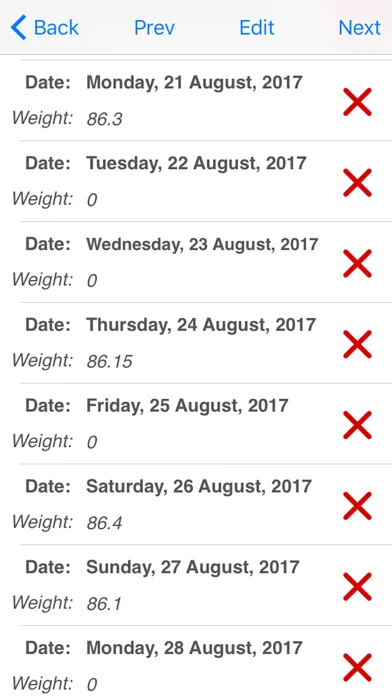
Delete Weight. Just select the Weighs button and find the day you want to delete the weight of. Select the red cross on that row. Select 'Yes' when the dialog prompts you and the weight will be deleted.
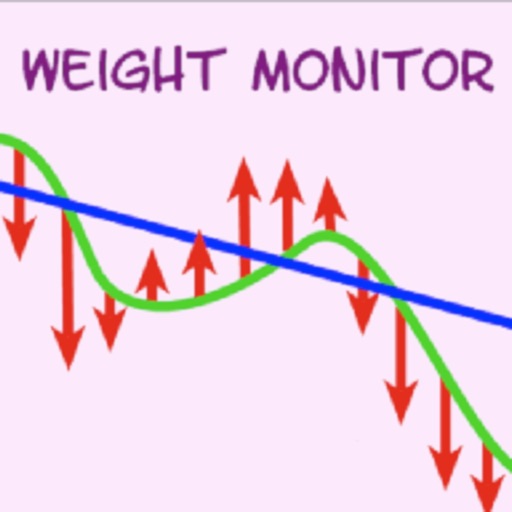
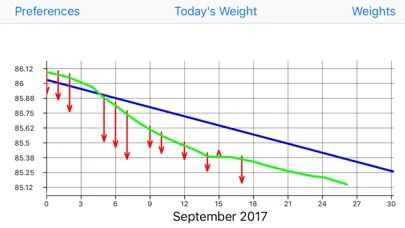
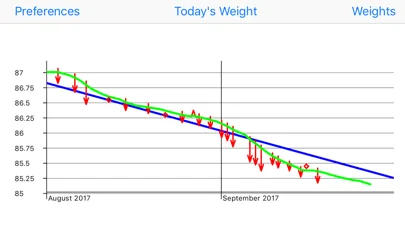
The blue line shows the required weight loss line. This line is calculated from the start date & weight and the end date & weight. If you follow this line you will reach your target weight.
The end of the arrow of each red line shows the weight for the day. The line extends to the rolling average weight for the day. If the arrow is downward then your weight is going in the right direction. If the arrow is upward then beware your weight is above the average.
The green line shows the rolling average weight. For each weight entered an average of the last ten days is calculated. This weight is plotted for each day and this is the green line. If the green line remains below the blue line you are winning.
Your daily weight can change too much over just a couple of days and this can be very discouraging when your weight increases.
You can easily see your new weight and how this affects the average on the graph.
Using this new information you can gain confidence that your weight is changing as required.
The graph also shows you the line of required weight loss to achieve your desired weight.
While your weights and the average weights remain below this line you are still on track.
Stray above this line and your are off course. The graph is a powerful visual clue to what is occurring.
Simple to use. Just start it. You just have to set the initial values in the Preferences and you are ready to go.
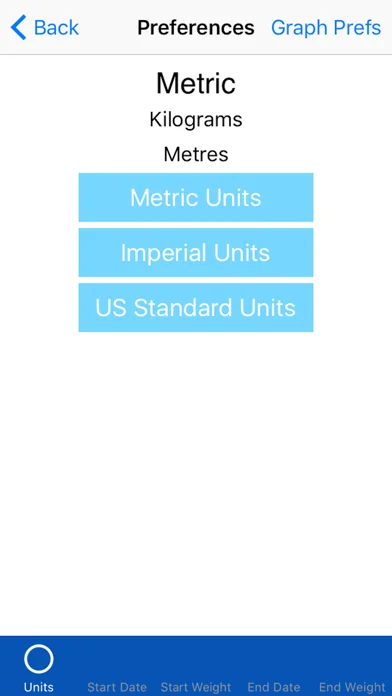
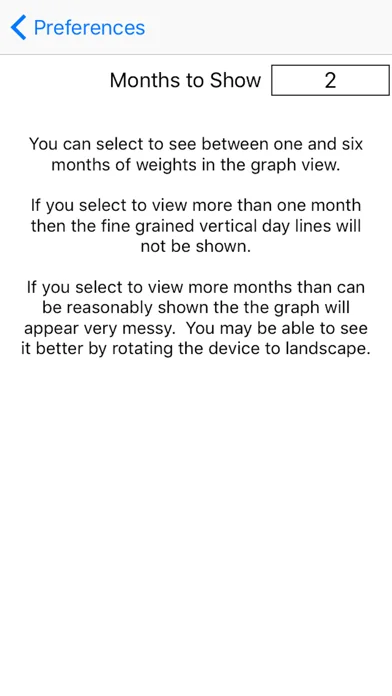
To set the Preferences you set the Start Date, Start Weight, End Date, End Weight and whether you want to use kilograms, stones & pounds, or pounds.
On the Graph page just select Today's Weight to add you weight for the day. Select Weight to add more than one weight for the month/months. Switch back to the Graph to see the weight(s) plotted. Once you have a few added the Graph View starts to make real sense.
The more weights you add the better the graph shows your progress.
Delete Weight. Just select the Weighs button and find the day you want to delete the weight of. Select the red cross on that row. Select 'Yes' when the dialog prompts you and the weight will be deleted.
The blue line shows the required weight loss line. This line is calculated from the start date & weight and the end date & weight. If you follow this line you will reach your target weight.
The end of the arrow of each red line shows the weight for the day. The line extends to the rolling average weight for the day. If the arrow is downward then your weight is going in the right direction. If the arrow is upward then beware your weight is above the average.
The green line shows the rolling average weight. For each weight entered an average of the last ten days is calculated. This weight is plotted for each day and this is the green line. If the green line remains below the blue line you are winning.
Your daily weight can change too much over just a couple of days and this can be very discouraging when your weight increases.
You can easily see your new weight and how this affects the average on the graph.
Using this new information you can gain confidence that your weight is changing as required.
The graph also shows you the line of required weight loss to achieve your desired weight.
While your weights and the average weights remain below this line you are still on track.
Stray above this line and your are off course. The graph is a powerful visual clue to what is occurring.
Simple to use. Just start it. You just have to set the initial values in the Preferences and you are ready to go.
To set the Preferences you set the Start Date, Start Weight, End Date, End Weight and whether you want to use kilograms, stones & pounds, or pounds.
On the Graph page just select Today's Weight to add you weight for the day. Select Weight to add more than one weight for the month/months. Switch back to the Graph to see the weight(s) plotted. Once you have a few added the Graph View starts to make real sense.
The more weights you add the better the graph shows your progress.
Profile & Insights
Everything we know — and don't — about this app and its company.
Identification
- App name
- Weight Monitor
- Developer
- Essence Computing
- Bundle ID
- uk.co.esscom.weightmonitor
- App Store URL
- Open in App Store
- Category
- Health & Fitness
- Content rating
- 4+
- Languages
- EN
Company
- Website
- www.essence-computing.co.uk
- Tagline
- Essence Computing Ltd
- Description
- Not found
- Founded
- Not found
- HQ / Address
- Not found
- Employees
- Not found
- Logo
- Not found
Revenue
- Verified revenue / mo
- Not found
- AI revenue estimate / mo
- Not found
- AI annual estimate
- Not found
- ML model estimate / mo
- $1.2K/mo
- Top-grossing rank
- Outside top 100 in US Health & Fitness
- All-time revenue
- Not found
- Pricing
- Not found
Founder
- Name
- Not found
- X / Twitter
- Not found
- Not found
- GitHub
- Not found
- X followers
- Not found
- Public statements
- Not found
Funding
- Total raised
- Not found
- Last round
- Not found
- Investors
- Not found
- Crunchbase
- Not found
- AngelList
- Not found
Press & Links
- Articles found
- Not found
- Listed on
- Not found
- Blog
- Not found
- Press / News
- Not found
Contacts & Socials
- Socials
- Not found
- Not found
- Phone
- Not found
- Contact page
- Not found
- About page
- Not found
⭐Recent App Store Reviews13 latest · avg 3.46★ · 46.2% 5★ · 15.4% 1★
5★6 (46%)
4★0 (0%)
3★3 (23%)
2★2 (15%)
1★2 (15%)
+0 ratings/week
Praise: great ×5 love ×2 best ×2 recommend ×2 perfect ×1
Top positive
★★★★★ This is great.
I really don't understand why people are having a problem. It does exactly as described. The blue line shows your weight loss goal in the time to achieve it. The red is your loss or gain on that day. The green line is the average of th…
★★★★★ Great application! Works exactly as described!
This application works great! And exactly as described. Read the entire explanation of the app before buying. The developer explains it perfectly. Got a question? Go to the developer's web site and he'll respond quickly.
The…
Top negative
★☆☆☆☆ Weight Monitor
Cumbersome to use. Seems like more effort than it's worth. Went back to paper and pencil on graph paper. Easier to use and just as visual.…
★☆☆☆☆ Nice graph but..
No way to reset data. I made a mistake on the date, now the 1st month is unreadable and no way to reset or start over.…
📈Ratings growth4 ratings+300% lifetimeShow 3-year history estimate ▾
Tracked (15 weeks) Pre-tracking estimate (37 weeks) · model-based, ±5% noise · anchored to release date and current value
🌍Geographic ReachNot ranked
This app is currently outside the top 100 grossing in all 9 countries we monitor (US, UK, DE, FR, JP, CA, AU, BR, IN). Niche or new apps often launch this way — popularity rankings appear once daily revenue clears the regional threshold.
Profile is built from iTunes Lookup + developer site scrape + ML revenue model. Empty fields show "Not found" — additional sources (Crunchbase, X, IndieHackers, Acquire.com) coming.
Full revenue analysis
Read the article-style breakdown for Weight Monitor: category rank, percentile, growth signal, comparable apps, and how the forecast is calibrated against verified-MRR anchors in this niche.